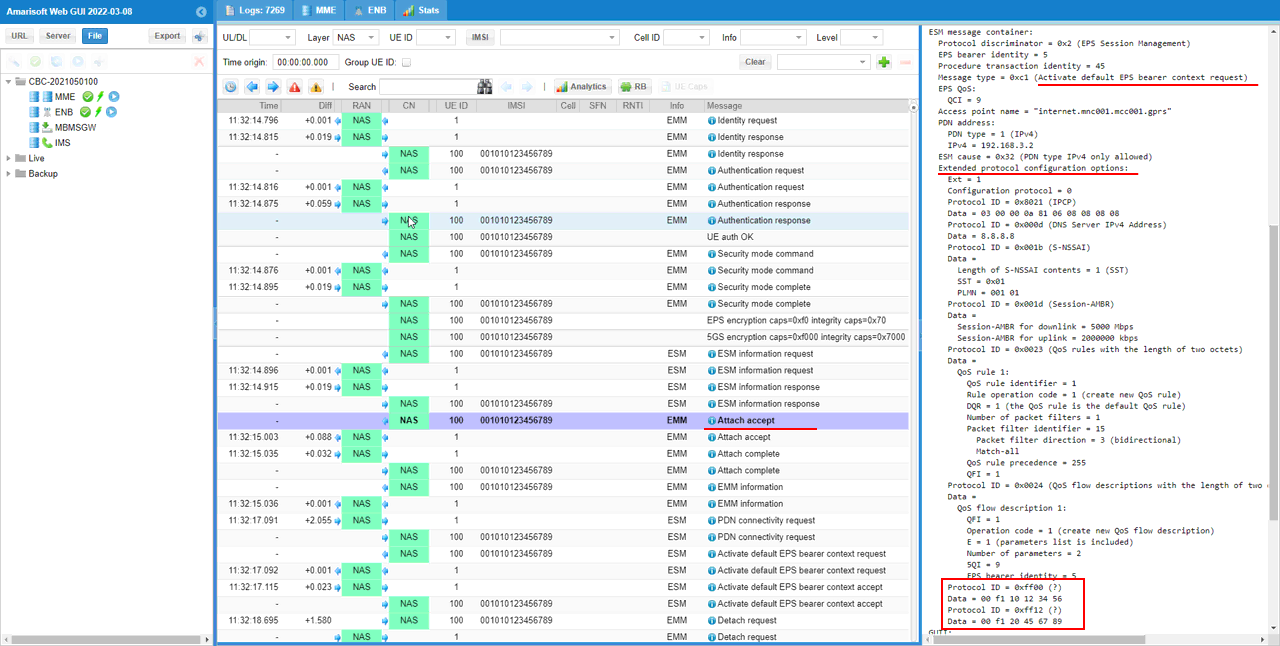
NAS : Operator Specific PCO
The purpose of this tutorial is to show you how to send Operator specific information in PCO (Protocol Configuration Option). Usually PCO is requested by UE and the requested information is provided by Network through NAS signaling message as below.
[LTE]
PDN Connectivity Request (PCO Request)
Activate Default EPS Bearer Request (PCO Information)
[NR]
PDU session establishment request (PCO Request)
PDU session establishment accept (PCO Information)
In case of most of PCO elements, Amarisoft core network provide the information based on PCO request from UE, but for Operator Specific PCO the corenetwork send predefined information without request from UE.
Table of Contents
Introduction
The Protocol Configuration Options (PCO) mechanism is a fundamental aspect of modern mobile communication systems, enabling the dynamic exchange of configuration parameters between User Equipment (UE) and the core network during session establishment procedures. PCO serves as a flexible container for transporting a variety of protocol-specific options, such as IP configuration data, DNS server addresses, and operator-defined information, across the control plane of both LTE and 5G NR architectures. Architecturally, PCO is encapsulated within NAS (Non-Access Stratum) signaling messages, facilitating seamless negotiation and delivery of these options during PDN (Packet Data Network) connectivity and PDU (Protocol Data Unit) session setups. The ability to include operator-specific PCO elements—either in response to explicit UE requests or as predefined network responses—enables mobile operators to deliver tailored services, enforce network policies, and support value-added features without modifying standardized signaling flows. Understanding the end-to-end flow and configuration of PCO elements is particularly significant for network engineers and system integrators working with core network platforms such as Amarisoft, which support both LTE and NR deployments. This tutorial provides a comprehensive guide to managing and delivering operator-specific PCO information, ensuring interoperability and customization in multi-vendor, multi-technology environments.
-
Context of PCO Technology
- PCO is a mechanism defined in 3GPP standards for the exchange of configuration and operational parameters between UE and the core network.
- It is utilized during key signaling procedures such as PDN Connectivity Request and Activate Default EPS Bearer Request in LTE, and PDU Session Establishment Request and Accept in NR.
- PCO supports extensibility, enabling the transport of both standardized and operator-specific information elements.
-
Relevance and Importance of the Tutorial Topic
- Operator-specific PCO elements allow mobile network operators to differentiate their services, implement proprietary features, and comply with deployment-specific requirements.
- Understanding PCO configuration enhances the ability to customize user experiences and optimize network performance.
- Mastery of PCO handling is essential for troubleshooting interoperability issues and ensuring standards compliance in multi-vendor core networks.
-
What Learners Will Gain
- In-depth knowledge of how PCO operates within LTE and NR core network procedures.
- Practical skills to configure and manage operator-specific PCO information within Amarisoft and similar core network platforms.
- Insights into best practices for exchanging customizable configuration data between UE and the network.
-
Prerequisite Knowledge or Skills
- Familiarity with mobile network architectures, particularly LTE/EPC and 5G NR/5GC.
- Basic understanding of NAS signaling procedures and message flows.
- Experience with core network configuration and operation is beneficial but not mandatory.
Summary of the Tutorial
This tutorial describes how to test the transmission of Operator Specific Information in Protocol Configuration Options (PCO) using a configurable callbox environment. The main focus is on configuring the network to always include operator-specific PCO data, regardless of whether the User Equipment (UE) requests it.
- Test Setup:
- Any callbox configuration that supports one or more cell is sufficient for this test.
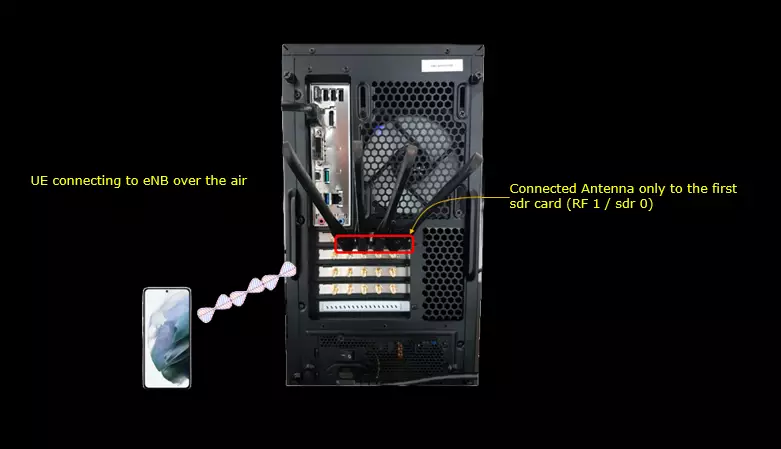
- Connect the UE to the callbox as shown in the provided diagram.
- Key Configuration Parameters:
- Configure the operator parameter in the callbox configuration. Under the operator object, specify:
- id
- plmn
- value
- force
- Configure the operator parameter in the callbox configuration. Under the operator object, specify:
- Configuration Steps:
- You may use any LTE configuration file, such as enb.default.cfg, for the eNB setup.
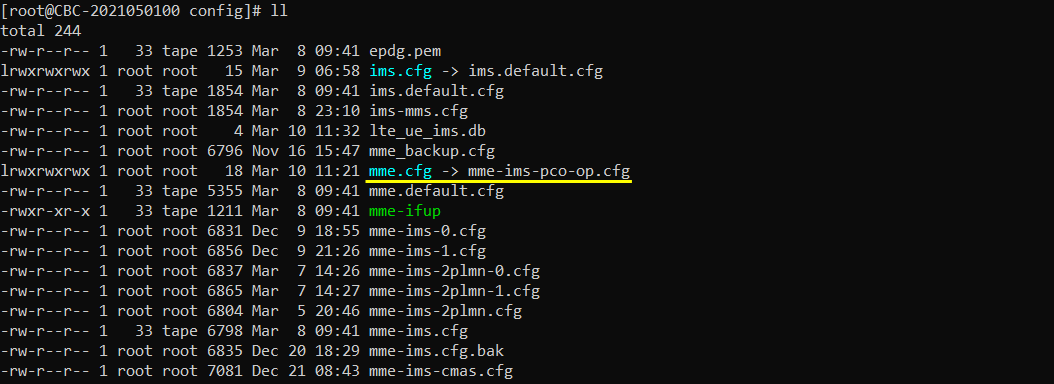
- Copy and modify mme-ims.cfg to create mme-ims-pco-op.cfg for the MME configuration.
- Add the operator-specific PCO configuration under the desired APN (e.g., 'internet'). Specify the operator array with the required fields. Set force=true to ensure the PCO is always sent.
- Test Procedure: Operator Specific Information
- Verify the cell configuration to ensure it matches the intended setup.
- Power on the UE and wait for it to obtain an IP address.
- Check the network logs to confirm that the Operator Specific Information is present in the PCO, specifically within the Attach Accept message.
This procedure validates that the network correctly includes operator-specific PCO information for the UE, regardless of explicit requests from the UE side, by utilizing the configuration parameter force=true within the operator settings.
Test Setup
Any callbox configuration that support one or more cell would be good enough for this test.
Key Configuration Parameters
Followings are important configuration parameters for this tutorial. You may click on the items for the descriptions from Amarisoft documents.
- operator : In this link, you will get the descriptions for all the parameters below
- id
- plmn
- value
- force
Configuration
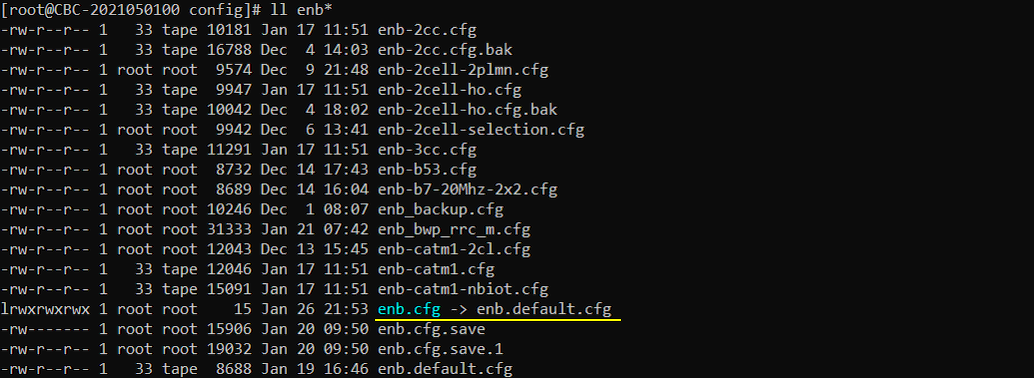
You can use any of LTE configuration for this tutorial (e.g, enb.default.cfg).
I used mme-ims-pco-op.cfg which is copied and modified from mme-ims.cfg
Test 1 : Operator Specific Information
In this test, I will configure in such a way that eNB send Operator Specific Information on PCO regardless of whether UE request it or not.
Configuration
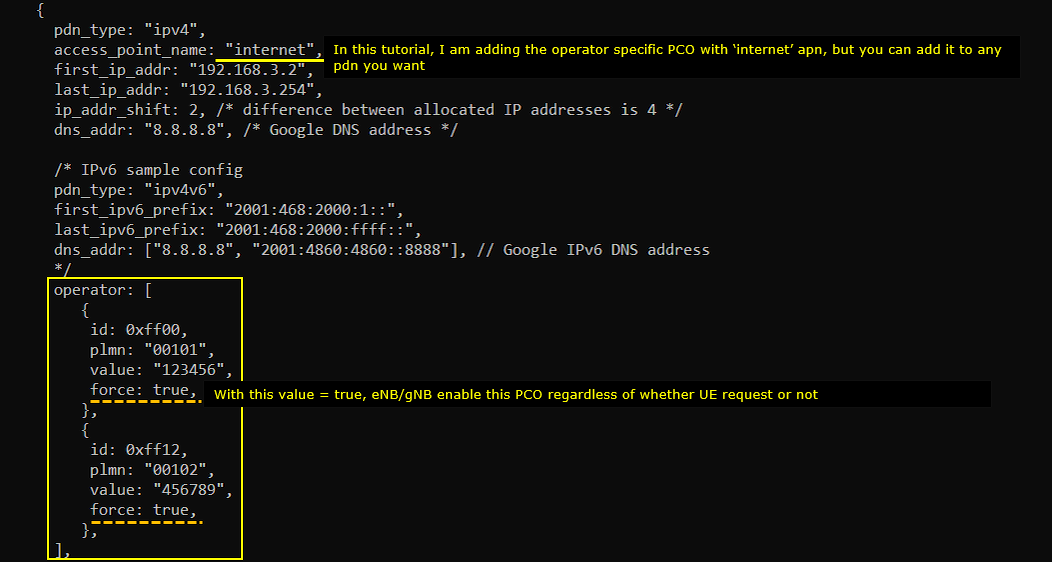
Add following configuration in mme-ims-pco-op.cfg
In this tutorial, I am adding the operator specific PCO in 'internet' APN, but you can add it to any APN/PDN you want. Once you decided on which APN you want to add the operator specific PCO, add the configuration parameter operator : [ ] and specify the details in it. In this tutorial, two items are added and each item is made up of the fields : id, plmn, value and force. If you set the parameter 'force' to true, the specified PCO is transmitted regardless of whether UE request it or not.
Perform the Test
Check the cell configuration and confirm it is configured as intended.

Power on UE and wait until it get an IP address.

Check in the log and confirm that the Operator specific information is configured in the PCO. You would see the operator specific data with Protocol ID and Data in PCO of Attach Accept message.