Factors on MS/s in [t cpu] output
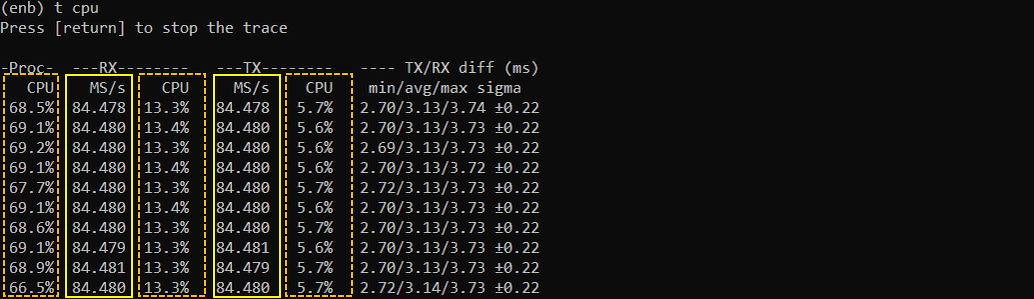
This page is not about testing anything. This is more of information purpose. This is about factors affecting (determining) the MS/s column value of t cput output. (NOTE : Regarding t cpu output, TX/RX diff would be the most commonly referenced information. Regarding TX/RX diff, refer to this wiki ). The main purpose of this page is to show how to help you to figure out those values for the specific configuration that you are using for a specific test. It is impossible to provide all the possible values in this page because it varies depending on various factors like RAT type, number of Cells, Bandwidth, sample rate of each sdr card etc. From the examples shared in this page, try to get some big picture and learn how to figure out the exact values for your own configuration.
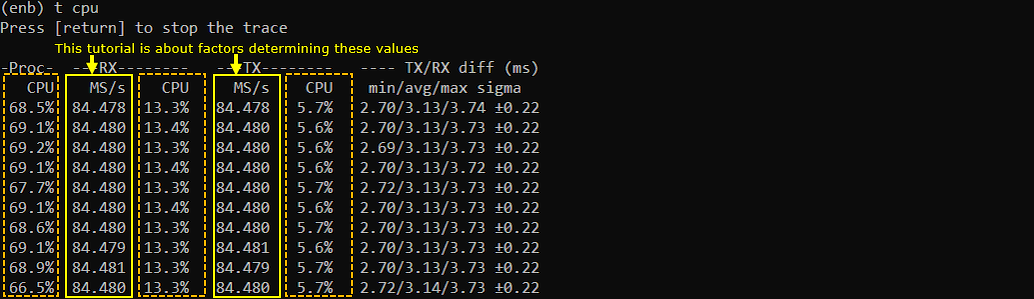
Table of Contents
Introduction
In modern wireless communication systems, performance monitoring and analysis are critical for optimizing network efficiency and ensuring quality of service. One essential metric in this context is the MS/s (Mega Samples per second) column value, typically observed in the t cput output. This value represents the aggregated sample rate across all configured cells, directly correlating to the data throughput and processing demands placed on the underlying hardware. The calculation and interpretation of MS/s are influenced by multiple technical factors, including Radio Access Technology (RAT) type (such as LTE, NR, etc.), the number of cells, channel bandwidths, and the sample rate settings of individual Software Defined Radio (SDR) cards. Since each deployment scenario presents unique configurations, there is no universal MS/s value; instead, it must be deduced based on the specific test environment and hardware setup. Understanding these factors is crucial for engineers and network administrators aiming to evaluate system performance, especially in the context of TX/RX (transmit/receive) differentials and their relationship to traffic load and resource allocation. While CPU utilization percentage is a secondary consideration here, it is important to note that it fluctuates with varying data loads, connection statuses, and configurations—occasionally exceeding 100% in multi-core systems. This page is designed to provide in-depth information and practical guidance on interpreting and determining MS/s values for your specific configuration, empowering you to extrapolate and apply these concepts to diverse testing and deployment scenarios.
-
Context of the Technology
- t cput is a diagnostic tool used in wireless communication systems to monitor various performance metrics, including MS/s, which reflects the combined sample rate of all active cells.
- The MS/s value is a critical indicator of the digital signal processing load, influenced by the network’s configuration, hardware capabilities, and operational parameters.
- Accurate assessment of MS/s aids in system optimization, hardware planning, and troubleshooting, especially when scaling networks or introducing new RATs and bandwidth configurations.
-
Relevance and Importance of the Topic
- Understanding the determinants of the MS/s column is essential for network engineers, system integrators, and performance analysts, as it impacts both real-time operation and long-term capacity planning.
- The ability to interpret and calculate MS/s enables informed decisions regarding network scaling, resource allocation, and performance tuning.
- This knowledge is particularly valuable when deploying new cells, adjusting bandwidth, or evaluating the impact of hardware upgrades.
-
What Learners Will Gain
- A comprehensive understanding of the technical factors that influence the MS/s value in t cput output.
- Practical methods to deduce MS/s values for custom configurations, based on RAT type, number of cells, bandwidth, and SDR card sampling rates.
- Insight into the broader relationship between sample rates, CPU utilization, and system performance in multi-core environments.
- The ability to apply these concepts to analyze and optimize real-world network deployments and test setups.
-
Prerequisite Knowledge or Skills
- Familiarity with wireless communication concepts, including Radio Access Technologies (e.g., LTE, NR), cells, and bandwidth.
- Basic understanding of digital signal processing and sampling rates.
- Experience with network testing tools and interpreting output metrics such as those produced by t cput.
- Awareness of hardware architectures, especially SDR cards and multi-core CPU systems, will enhance comprehension.
Summary of the Tutorial
This tutorial describes the procedures for testing various configurations of Software Defined Radio (SDR) cards in a Callbox Classic setup. Multiple test scenarios are covered, focusing on LTE and NR SA/NSA bandwidths and MIMO configurations.
-
SDR Card Identification:
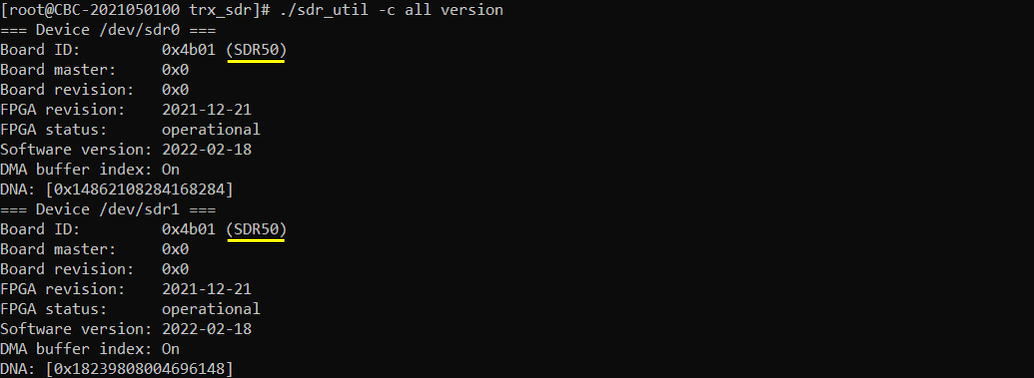
- To identify the installed SDR cards and their versions, run ./sdr_util -c all version in the /root/trx_sdr directory.
-
LTE and NR Test Configurations:
- Various bandwidth and MIMO configurations are outlined for LTE and NR, including:
- LTE: 5 MHz SISO, 20 MHz SISO, 20 MHz 2x2 MIMO
- NR SA: 20 MHz, 40 MHz, 50 MHz, 100 MHz (all 2x2 MIMO)
- NR NSA: 20+100 MHz SISO
- Each configuration requires specific SDR cards and sample rates. The documentation emphasizes that results may vary depending on the SDR card used (e.g., SDR50 vs. SDR100) and the selected sample_rate.
- Various bandwidth and MIMO configurations are outlined for LTE and NR, including:
-
SA 100 MHz 2x2 MIMO Testing Procedure:
- Use two SDR50 cards for the test setup.
- Configure the system to operate at 100 MHz bandwidth in standalone (SA) mode with 2x2 MIMO.
- Set the relevant sample_rate as indicated for SDR50 cards. Note that using SDR100 cards or different sample rates could yield different results.
-
General Testing Notes:
- Ensure proper card selection and sample rate configuration according to the desired test scenario.
- Test results depend on hardware (SDR card type) and configuration parameters (sample rate, bandwidth, MIMO mode).
The tutorial provides an overview of the test procedures and highlights the importance of matching hardware and configuration settings to achieve valid results for each scenario.
SDR Card
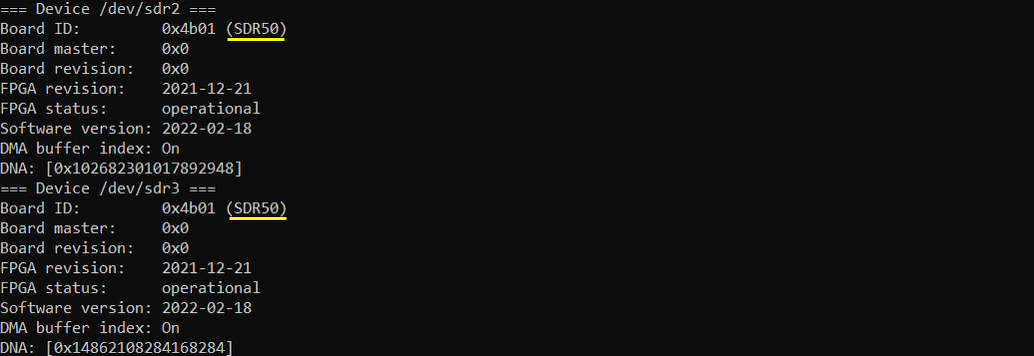
I have 4 sdr cards on my Callbox (Callbox Classic) as shown below (You can get these information for your setup, by running ./sdr_util -c all version in /root/trx_sdr).
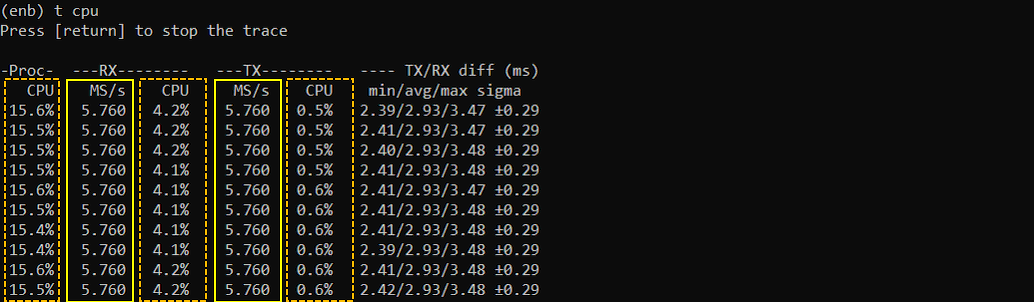
LTE BW 5Mhz, SISO

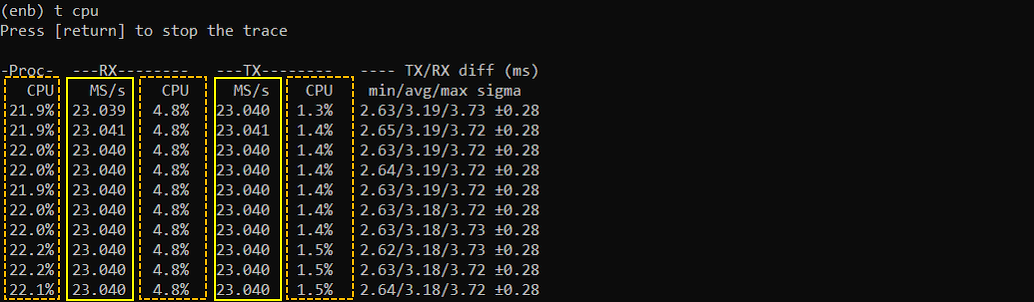
LTE BW 20Mhz, SISO

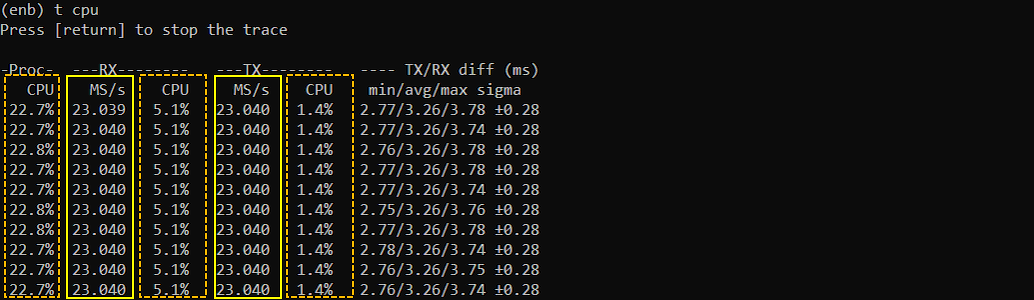
LTE 20Mhz, 2x2 MIMO

NR SA 20Mhz, 2x2 MIMO

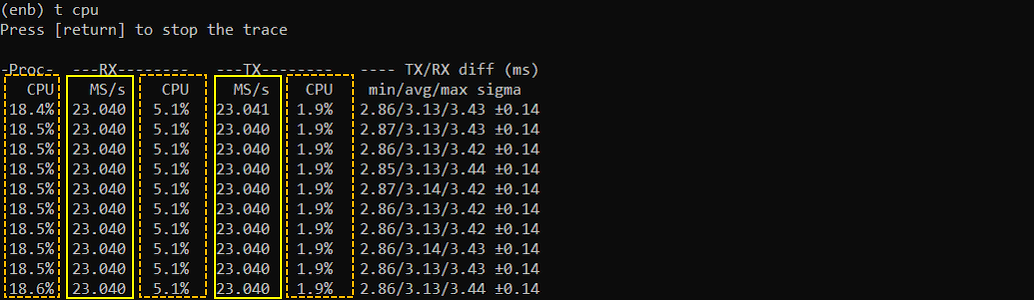
NR SA 40Mhz, 2x2 MIMO

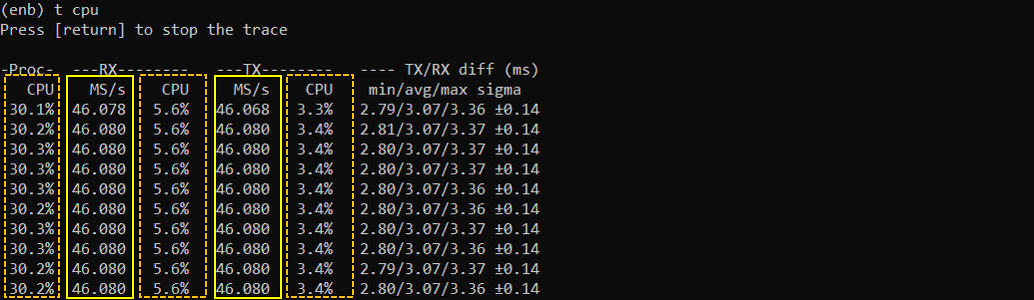
NR SA 50Mhz, 2x2 MIMO

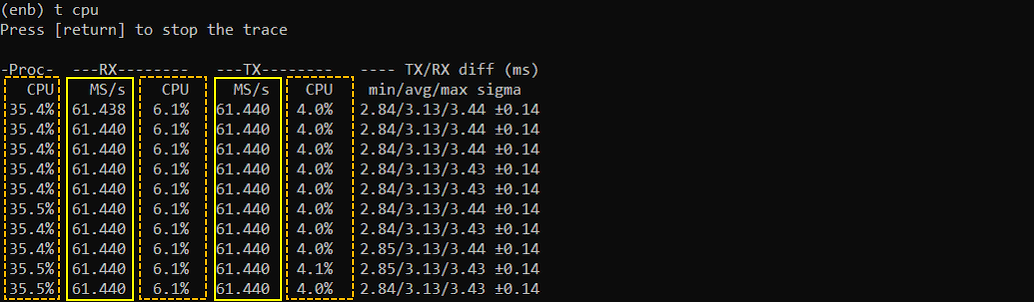
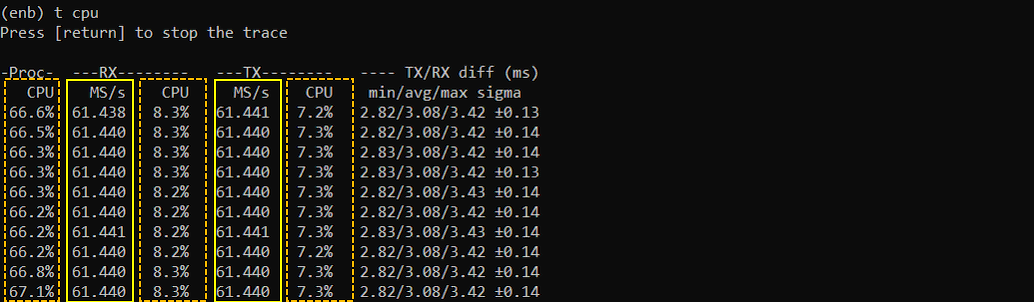
NR SA 100Mhz, 2x2 MIMO
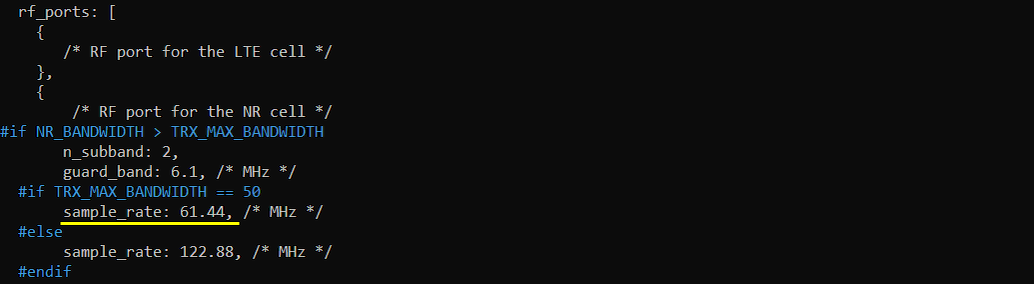
I tested SA 100Mhz 2x2 using 2 x SDR50 cards and with the sample rate as shown below. If you are using SDR100 and using different sample_rate, you may get different result.


NR NSA 20+100Mhz, SISO
I tested SA 100Mhz 2x2 using 2 x SDR50 cards and with the sample rate as shown below. If you are using SDR100 and using different sample_rate, you may get different result.